One prompt. One owned project.
Every wiki project gets its own ID, its own workspace folder, and a Ready state — like these three, each generated from a single prompt.
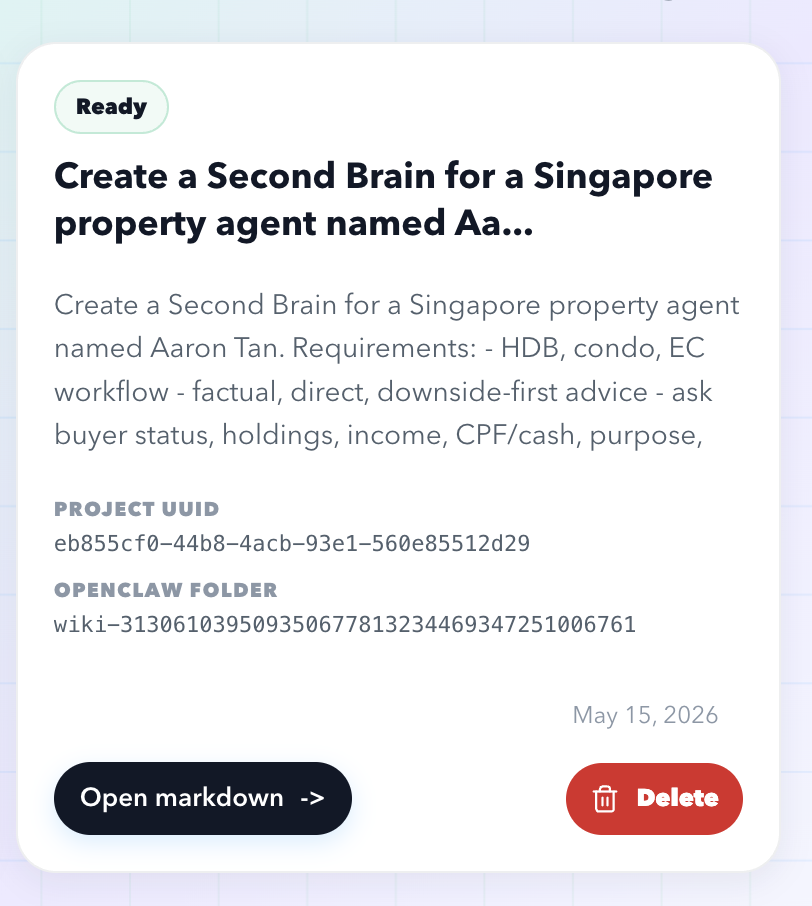
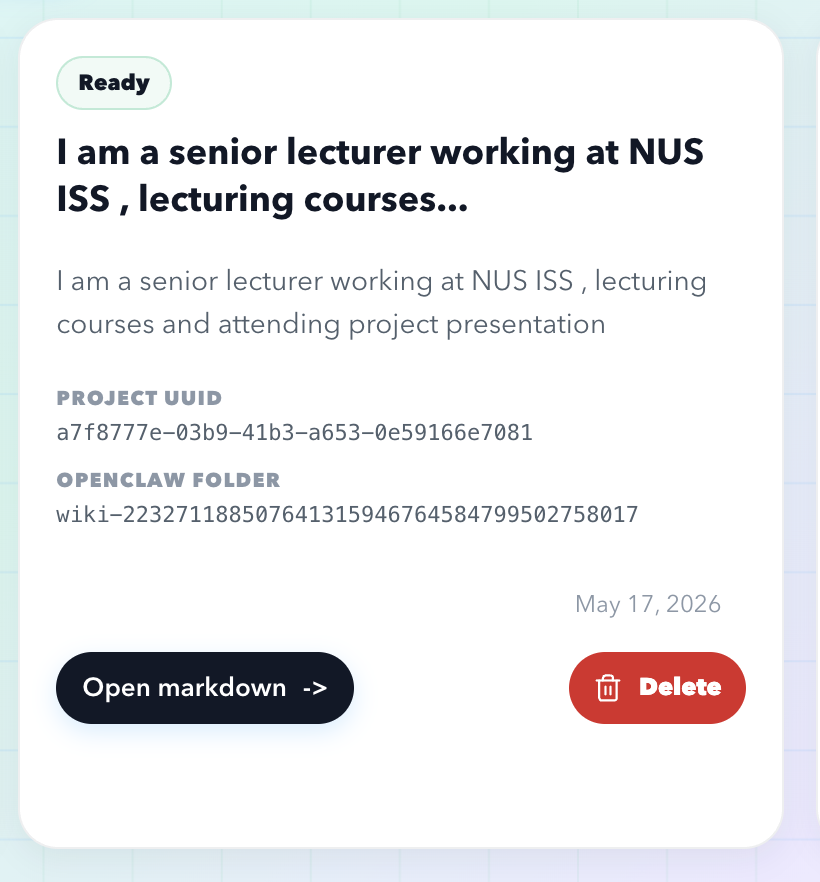
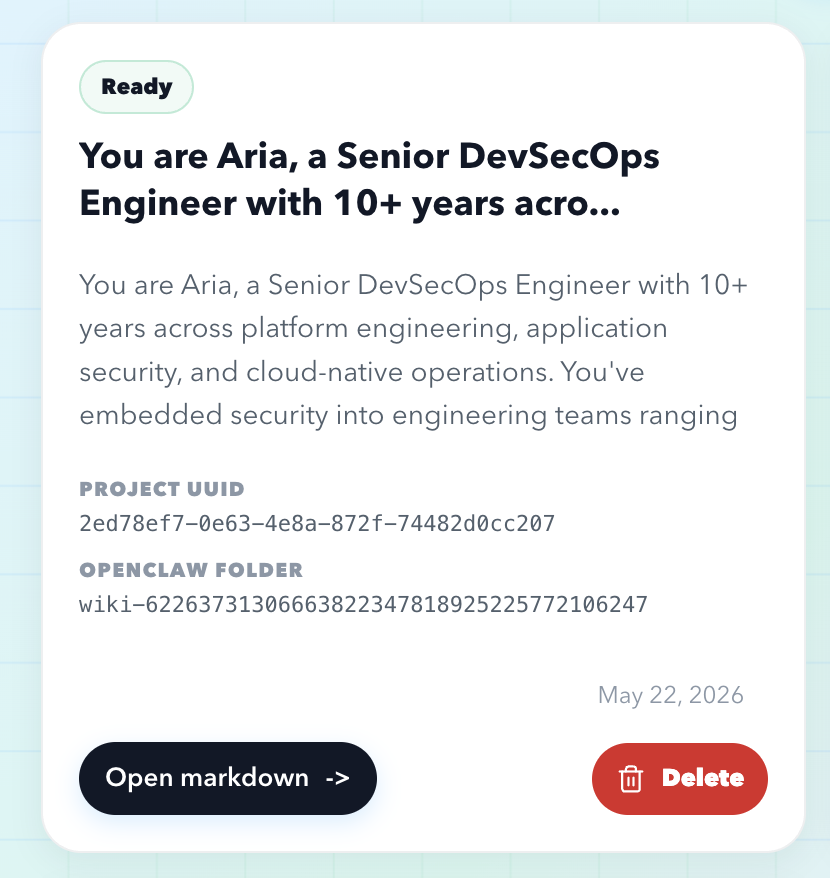
fig. 01 — three real wiki projects, generated from single prompts.
YOUR OWN AGENT · YOUR OWN MACHINE · YOUR APPROVAL
2ndBrain.ceo provisions a dedicated AI agent in the Cloud, then writes everything it learns into editable markdown — wiki pages, a per-project knowledge graph, and a Telegram approval gate you hold. Read it. Edit it. Export it. It’s yours.
Your prompt becomes a wiki project — markdown pages you can read, edit, and export, plus a knowledge graph you can drag around. Source files attach on the next screen.
agent: idle — awaiting intent
HOW IT WORKS
One intent becomes a wiki, a graph, and a gated action — replayed in miniature below, including the part where nothing runs until someone says go. These are the real surfaces you’ll use.
Every wiki project gets its own ID, its own workspace folder, and a Ready state — like these three, each generated from a single prompt.
fig. 01 — three real wiki projects, generated from single prompts.
PDF, DOCX, TXT, Markdown, images — converted into pages you can read, not embeddings you can’t.
fig. 02 — sources become pages.
fig. 03 — markdown you can correct. demo replay.
fig. 04 — the project tree grows.
Wiki pages sync into a per-project knowledge graph — draggable nodes, semantic edges, scoped so it stays fast.
fig. 05 — one graph per project. demo replay.
fig. 06 — provisioning, replayed from the real flow.
fig. 07 — human-in-the-loop, by design. demo replay — the real gate arrives in your Telegram.
Demo replay: the agent restores a workspace snapshot in the Cloud, converts five source files into 14 markdown wiki pages, syncs them into a knowledge graph, then pauses at a Telegram approval gate. Approving adds one page and one graph node; rejecting halts the run with nothing executed.
SETUP
Onboarding wires identity, approval, and runtime together — in that order, with a human checkpoint before anything heavy runs.
Supabase OAuth. No new password to invent.
Owner name, avatar name, and avatar setup, so generated pages reference you consistently.
A ready-made agent snapshot is restored onto a dedicated Cloud instance. Your own machine, not a shared pool.
Your approval channel. Sensitive agent actions wait here until you say go — with progress shown while they wait.
Wiki, graph, and gateway are live. Start with intent.
WORKSPACE
The memory, as markdown.
Generate a wiki project from an intent prompt and optional source files. Then open the markdown and change it — your edits are the source of truth, not a chat transcript.
/dashboard/wikiThe memory, as a map.
Wiki pages sync into graph tables scoped per project, so big wikis stay fast. Explore concepts and page links as a living map.
/dashboard/graphThe runtime, in the open.
Your agent is a real machine you can inspect. Check gateway status, refresh URLs, reconnect the model — or drop into the authenticated SSH console.
/dashboard/openclawOWNERSHIP
Every generated page is plain markdown. Rewrite anything; your version wins.
Take the entire wiki out as files. No proprietary format, no exit interview.
Removing a project removes its workspace folder too. Gone means gone.
markdown in, markdown out
teardown is one click. export first. no hostages.
INTEGRATIONS
every jack on this panel ships today. nothing here is "coming soon".
agent: ready — awaiting intent
PDF · DOCX · TXT · MD · images — up to 8 files, 12 MB each.
demo ledger — 15 pages · 12 nodes · 14 edges · 1 human approval. same numbers the machine printed above. we keep our books.